

▶️ surface + video + seeds
ISSUE #166
MAKING
In the last newsletter, I mentioned that I’m working on a Surface Pattern Design collection, and you might be wondering what that even means. Super simply put: anything that you see in your everyday life with a pattern on it – fabric, wallpaper, gift wrap, notebook covers, pillows, or even a Kleenex box – someone designed that. And I’m hoping that someday, that someone might be me. 😊
I’m currently taking Bonnie Christine’s Surface Design Immersion Course again as an alum, and I thought it would be fun to give you a high-level look at the process using one very simple motif and pattern as an example.
WATCH THE TIME LAPSE VIDEO ⬇️
1. gather inspiration
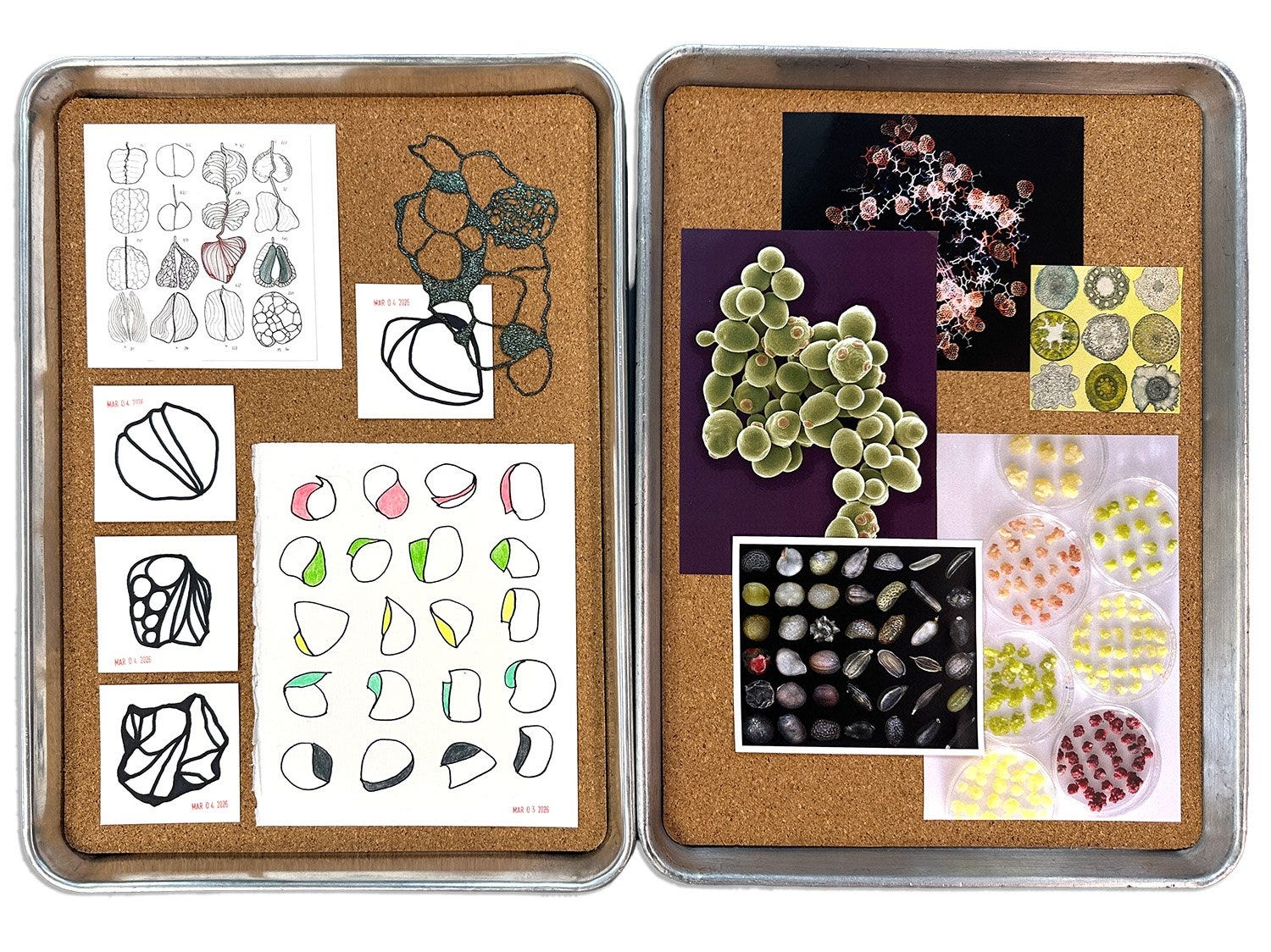
Every pattern collection starts with inspiration, so I began by gathering colors, textures, and shapes that felt interesting to me. I pulled a few favorites to share below, and you can see the full inspiration page here.


2. make motifs
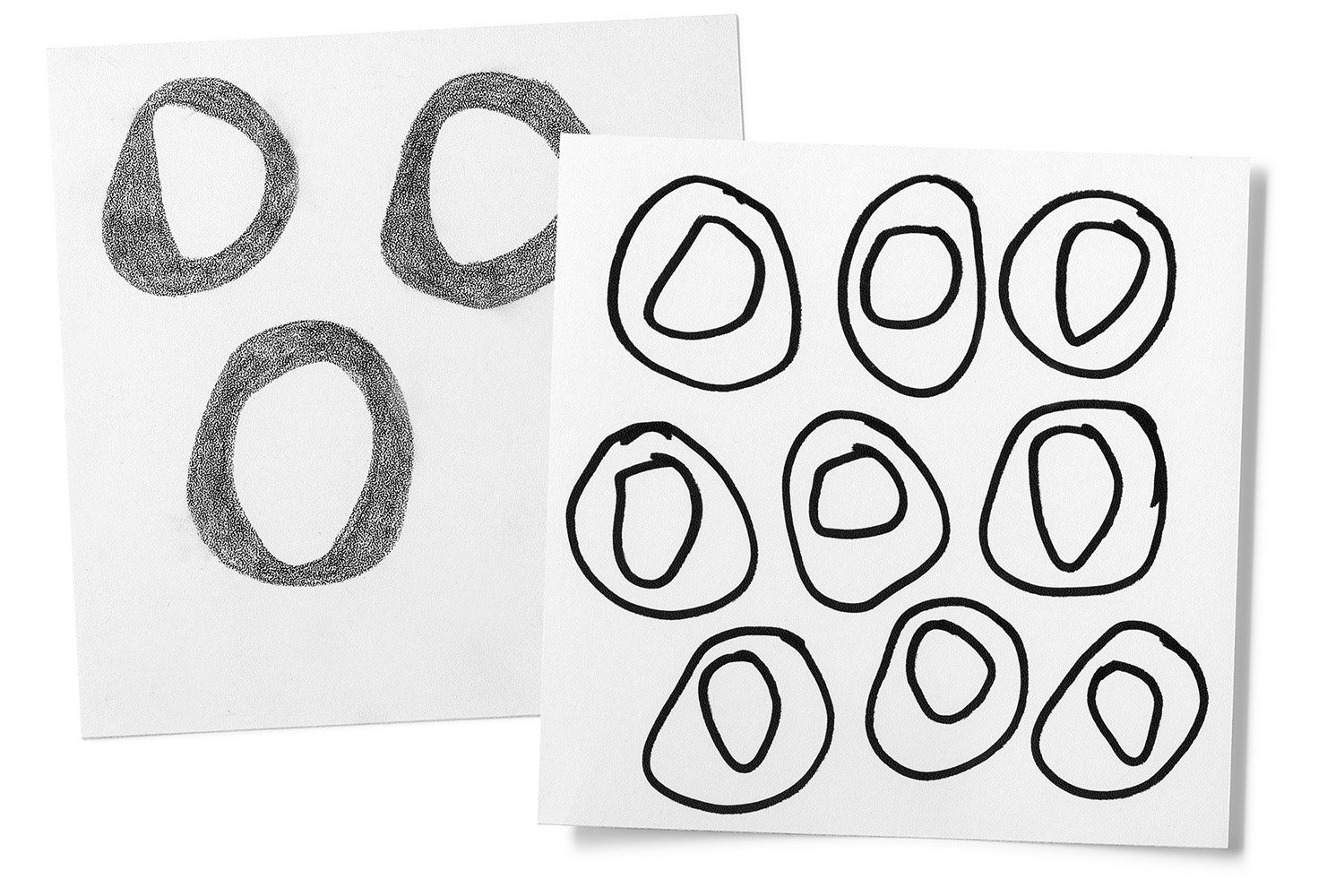
Once I have a direction, I start drawing motifs — the individual shapes and marks that will eventually become the pattern. For this batch, I used a chisel-tip Sharpie and Neocolor II crayon on stipple-texture paper.
3. scan and vectorize
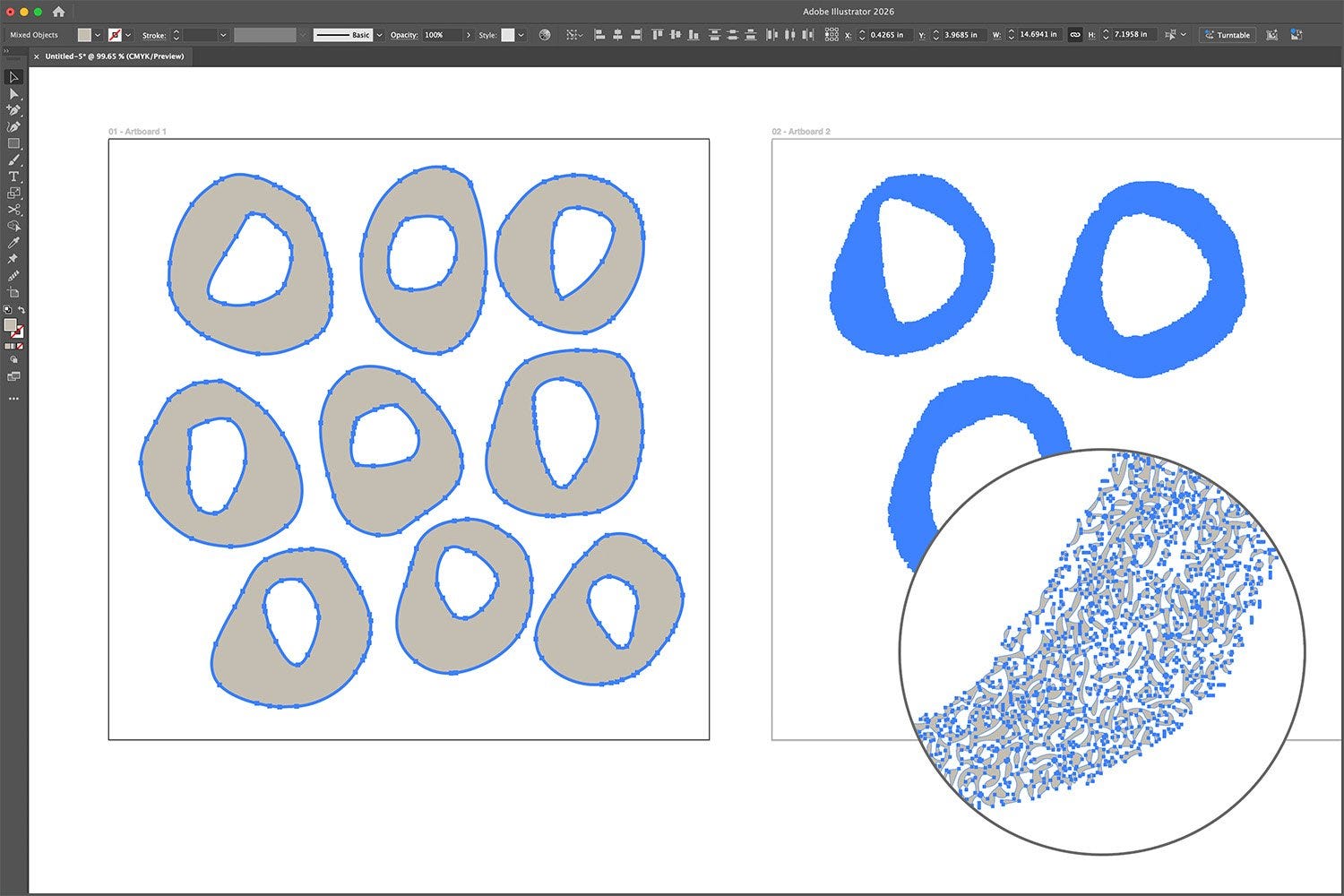
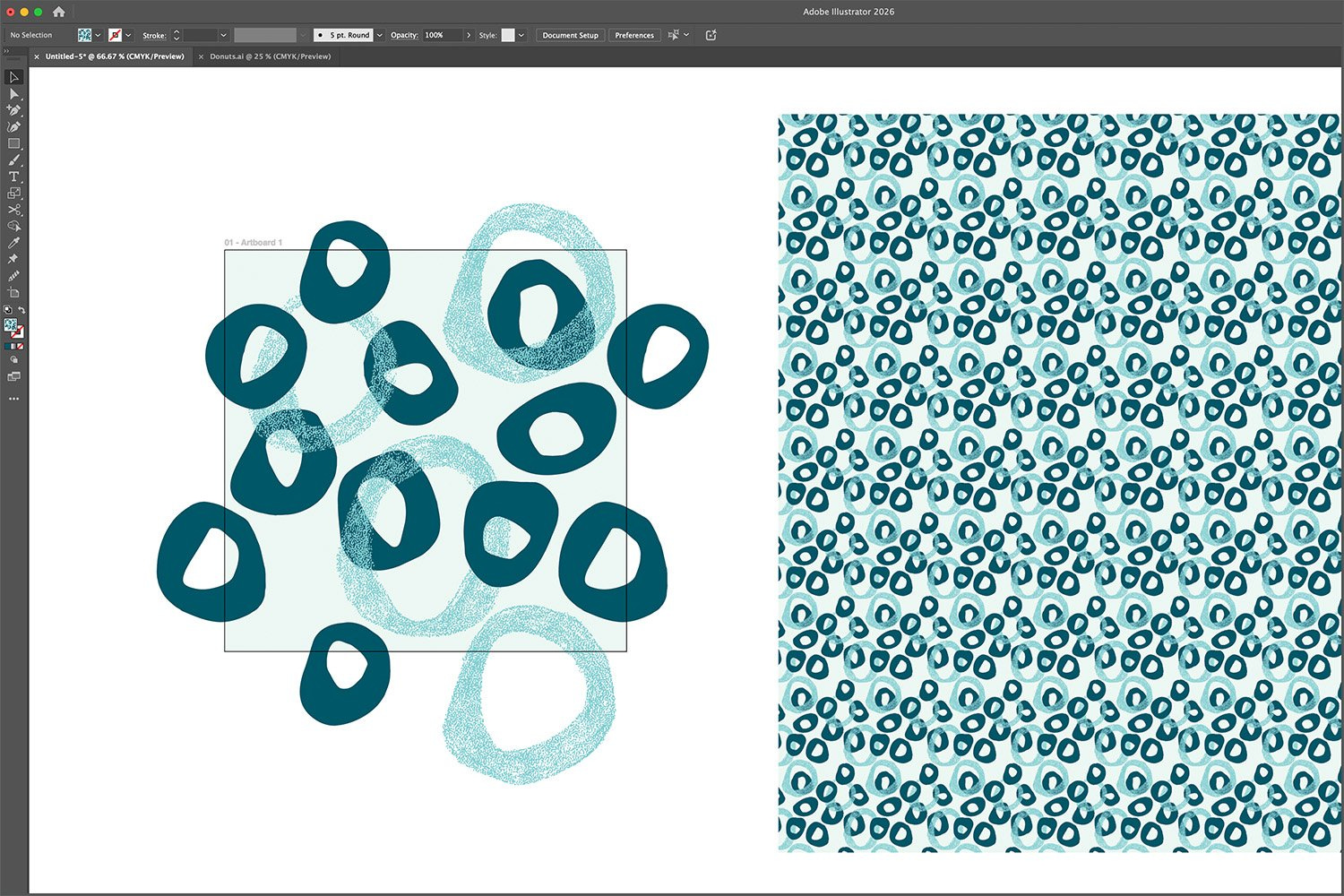
After scanning the artwork, I bring it into Illustrator and use the Image Trace tool to turn the drawings into editable digital shapes. Then I use the Shape Builder and Smooth tools to clean things up and get the motifs ready to use.
4. build the repeat
Then I start arranging the motifs into a repeating pattern — first figuring out the edges so the pattern will tile seamlessly, and then playing with color, placement, rotation, and layering. Once it starts working, the pattern can keep going infinitely, which is both satisfying and a little magical. ✨
Pictured above (header): a small section of the Immersion 2026 Name Wall. When you sign up for Immersion, Bonnie writes your name by hand on a slip of wildflower seed paper and adds it to her studio wall. At the end of the course, she plants the names in her garden. 🌸
LOVING

Shout out to CapCut Video Editor. I had zero experience with video editing, and that was the biggest barrier to sharing more of my process via video.
But I really wanted to document my Immersion experience this year, so I decided to just start recording and put off the editing piece for another day. My thinking was: at the very least, I’d have the footage, and I could figure out the rest later.
Later came sooner than I expected. I know a few people who use CapCut, and they consistently say it’s super easy to use, so I gave it a shot. I figured out how to make simple time-lapse videos and upload them to a playlist on YouTube. No intros, no transitions, no music tracks. Very bare-bones. But I’m pretty proud I got this far. Small victories. 🏆
THINKING

“For a seed to achieve its greatest expression, it must come completely undone. The shell cracks, its insides come out and everything changes. To someone who doesn’t understand growth, it would look like complete destruction.”
— Cynthia Occelli
I use CapCut for my faux timelapse drawing videos and keep worrying that they will lock down the free parts and go full subscription. Tons of cool features which I haven’t touched.